
The Exact Forms Your Crews Use Today, With Zero Signal Required
Inspections, work orders, and PM checklists that keep working in basements and dead zones — and answers to "what's overdue?" in one question.
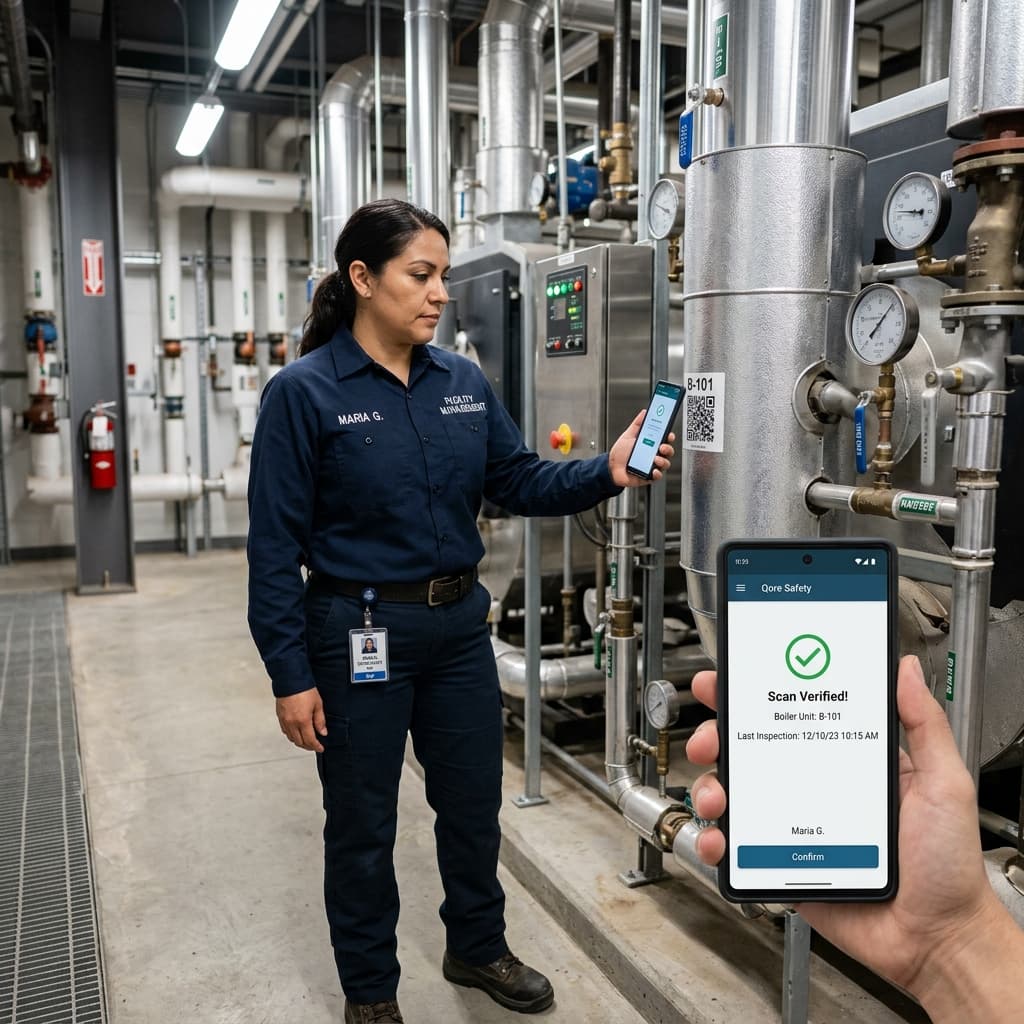
Field Data You Can Trust, Built for Field Service Teams
Work happens at the customer site, but the data about that work gets lost, delayed, or entered twice. Technicians finish a job in a basement with no signal, the paperwork lands hours or days later, and dispatchers chase people for updates. Qore Safety puts a rugged, offline-first app in every technician's hands: the same inspection, work order, and preventive maintenance forms they use today, rendered on any device, with photos, signatures, and asset history attached. Every capture flows back into a single system of record the moment the device reconnects — and an AI analyst lets anyone ask "show me a breakdown of jobs by technician" and get an answer with a chart in seconds.
What Slows Field Service Operations Down
The gap between work done in the field and data the office can trust.
Dead Zones Break the Paper Trail
True offline-first capture: forms, photos, and signatures save locally and sync automatically when a connection returns, with native background sync on iOS and Android.
No Running History per Unit
Model equipment as first-class assets with their own serial numbers. Every capture links back to its unit, building a running service history you can query.
Leaders Can't See What's Overdue
Ask the AI analyst in plain English — "which sites haven't been inspected in 90 days?" — and get an instant, auditable answer with a chart.
A Service Call, End to End
From dispatch to a queryable record — without a single re-keyed form.
Route the Job
Work is assigned through user-assignment fields, filtered by role or department, so the right technician gets it.
Identify the Asset
Scan the QR sticker on the unit or pick it from a lookup to pull up the right form for the right equipment.
Capture the Work
Complete the checklist offline — photos of the fault, annotations on the image, a customer signature on screen.
See It in the Record
The submission syncs when the device reconnects and appears in the admin portal, attributed to the technician and device.
How Field Service Teams Use Qore Safety
Preventive Maintenance Rounds
Work Orders With Proof of Completion
Multilingual Crews, One Form
Qore Safety vs. the Alternatives
What changes when field data capture is built offline-first.
| Operational Capabilities | Qore Safety Platform | Legacy Software Systems | Paper Clipboard Lists |
|---|---|---|---|
| Working in dead zones | Full capture offline; syncs automatically on reconnect | Often requires connectivity or loses drafts | Works offline but data stays on paper |
| Proof of completion | Time-stamped photos, annotations, and signatures, write-once and attributed | Attachments possible, editing after the fact often too | Handwriting and memory |
| Asking "what's overdue?" | One plain-English question to the AI analyst | Custom reports or a BI team | Manual cross-referencing |
| Equipment history | Every capture linked to its asset automatically | Depends on manual data discipline | Scattered across binders |
Bring Your Field Service Data Into One Record
Describe your operation in plain language and the AI-assisted setup proposes your asset types, sites, and forms — you review, refine, and publish. No consultants, no custom development.
- AI-assisted onboarding wizard
- Import your asset register from Excel
- Offline-first apps for iOS, Android, Windows & Mac
Field Service FAQ
Quick answers about using Qore Safety in field service environments.
Yes — that's the core design. Forms, photos, and signatures are captured and saved locally, then sync automatically the moment a connection returns. Native background sync on iOS and Android continues even when the app isn't open.
Yes. The no-code visual builder recreates the exact forms your crews use today, with 11 field types, conditional logic, and versioning so process changes never break historical records.
Scan the QR or barcode sticker on the unit to identify the asset, or select it through a lookup field. Either way the capture is linked to that unit's running history.
Describe your operation in plain language and the AI-assisted setup proposes your asset types, sites, and forms; you review, refine, and publish. Customers go live in days, not months — no consultants or custom development.